
Chapter 10 of 15 · 12 minutes

White balance: colour you can trust

Light has a colour. Candles are orange, shade is blue, noon is neutral. Your eyes adjust without you noticing; your camera has to guess. When it guesses wrong, faces turn orange or snow turns blue.

White balance decides whether white looks white. Your phone guesses it from the scene and gets it right most of the time. This chapter covers the times it does not, and how to give your phone photos a colour style of your own on iPhone, Samsung and Pixel.

Short answer

White balance makes white look white, whatever the light. Auto works well outdoors but often leaves indoor photos orange. Use the presets, or set about 3200 K for warm bulbs, 5500 K for daylight and 7000 K for shade. If you shoot RAW, you can fix it perfectly later.

Short answer

Your phone sets the white balance automatically, and it is usually right. When indoor photos turn orange or shade looks blue, fix it afterwards with the Warmth slider in your editor. For a look you like on every photo, set a Photographic Style on iPhone, a filter on Samsung or a Camera Look on Pixel before you shoot.

Interactive · real photo

White balance on a real photo

A cabin glowing in a snowy forest: warm light inside, cool blue snow outside. Move the white balance and see the mood change. Low values make the photo cooler, high values warmer.

No right answer here. White balance is also creative: cooler feels calm and wintry, warmer feels cosy. Shoot RAW and you can decide later.

Lower kelvin settings make the photo cooler; higher ones warmer. The number tells the camera what light you are in.

On a phone you rarely set the kelvin number yourself. You warm or cool the photo afterwards with the Warmth slider, which does the same thing.

Game

Fix the colour cast

This pier was photographed under the wrong white balance setting. Find the value that makes the white railings and grey water look neutral.

To fix a cast, move the slider towards the opposite colour: orange needs blue, green needs magenta.

Every phone editor has the same two sliders: Warmth (blue to orange) and Tint (green to magenta).

Interactive · your phone

Your phone's built-in looks

Each phone has a way to set a colour style before you shoot, so every photo comes out with the same feel. Try them on this mountain lake, then try the white balance slider your phone offers.

Photographic Styles. Tap the six-dot Camera Controls button, then Styles. Swipe through the undertones (Standard, Amber, Gold, Rose Gold, Neutral, Cool Rose) and moods (Vibrant, Natural, Luminous, Dramatic, Quiet, Cozy, Ethereal, Muted B&W, Stark B&W). The square pad below sets tone and colour. On iPhone 16 and later you can change the style after the shot in Photos, so nothing is lost.

iPhone 18 Pro adds a White Balance control (Camera Controls › White Balance) with presets and a kelvin setting, and new film and grain options in Styles.

Filters. Tap the three-circles icon at the top of the viewfinder. Pick a filter and its strength. Under My filters you can make your own from any photo you like: the Galaxy copies its colour and tone.

For exact white balance, use More › Pro › WB and set the kelvin number. In the Gallery editor, Adjust › Warmth and Tint fix casts later.

Camera Looks (Pixel 11) and the White balance slider in Controls set the colour before you shoot. Warmer to the right, cooler to the left.

In Google Photos, Edit › Adjust › Warmth and Tint fix a cast afterwards. Shoot RAW (chapter 12) if you like to decide later.

Pick one look and stick with it for a whole set. Consistent colour makes a feed or an album feel like it belongs together.

Presets

White balance presets

SettingAboutUse it for
Auto (AWB)Camera decidesAlmost always. Modern auto is very good.
Tungsten / incandescent3200 KWarm indoor bulbs, cosy restaurants
Fluorescent4000 KOffices, shops
Daylight5200 to 5500 KSunny days. Keeps sunsets warm (Auto can neutralise them)
Cloudy6000 KOvercast days: warms things up
Shade7000 KOpen shade, blue hour portraits
Kelvin (K)2500 to 10000 KExact control, video (so colour doesn't shift mid-clip)

Change it in the Q menu (WB)the Fn menu (White Balance)the i menu (White balance)the Q menu (WHITE BALANCE).

The iPhone sets white balance automatically. Fix it afterwards in Photos: Edit › Adjust › Warmth and Tint.

Presets are quicker than kelvin numbers. Daylight is a great "honest" setting for sunsets.

In depth

Mixed light, skin tones and the green cast

White balance has two sliders: temperature (blue to orange) and tint (green to magenta). Most of the time only the first matters. Three situations need more care.

Mixed light

A face lit by a window on one side and a warm lamp on the other cannot be "correct" everywhere. Choose the light that falls on the most important part (usually the face) and set white balance for that. Or turn off one of the lights. A little warmth in the background often looks cosy rather than wrong.

Green from fluorescent and LED light

Offices, shops and some cheap LED bulbs add a green tint that makes skin look ill. The temperature slider cannot fix it. Move the tint slider towards magenta in editing, or use the fluorescent preset in the camera.

Skin tones first

People notice wrong skin colour long before they notice a wrong sky. When editing portraits, check the face: skin should look warm and healthy, not orange, grey or pink. Many editors let you click on a neutral grey or white area with an eyedropper as a starting point, then warm it up slightly by eye.

When "wrong" is right

A candlelit dinner should look warm. Blue hour should look blue. Correcting every photo to neutral removes the mood. Use white balance to tell the truth when it matters (products, skin), and to set the feeling when it does not.

In depth

Building a colour style you can repeat

The accounts you admire usually look consistent because they make the same colour choices again and again, not because every photo was shot in perfect light. Three habits get you there:

  1. Pick a white balance tendency. Slightly warm, neutral, or slightly cool. Keep it across a set.
  2. Limit the palette. Choose scenes and edits that keep two or three main colours. Muting one or two colour channels in the HSL panel of your editor goes a long way.
  3. Use the same starting point. A camera profile (film simulation, picture style, Photographic Style) or an editing preset applied to every photo, then small adjustments per image.

Presets are a shortcut to that consistency. They give every photo the same starting colour, and you only adjust exposure and white balance per shot.

Built-in looks

Picture styles, film simulations and Photographic Styles

Every brand has presets that change colour and contrast in the JPEG (RAW files keep everything, so you can change your mind).

Canon Picture Style: Auto, Standard, Portrait, Landscape, Fine Detail, Neutral, Faithful, Monochrome. Try Landscape for travel and Monochrome to learn light.

Sony Creative Look: ST, PT, NT, VV, VV2, FL, IN, SH, BW, SE. FL gives a soft, film-like look; VV2 is vivid.

Nikon Picture Control: Auto, Standard, Neutral, Vivid, Monochrome, Portrait, Landscape, Flat, and Creative Picture Controls. The Z50 II has a dedicated Picture Control button on top.

Fujifilm Film Simulations: PROVIA (standard), Velvia (vivid), ASTIA (soft), CLASSIC CHROME, REALA ACE, CLASSIC Neg., NOSTALGIC Neg., ACROS (black and white) and more. Turn the dial on the left of your X-T50.Turn the Fn dial on the left of your X-S20.

iPhone Photographic Styles (iPhone 16 and later): swipe up in the Camera app and tap the styles icon. Choose a style and fine-tune tone and colour on the touch pad. You can change it again after the shot in Photos.

Want a consistent look on every photo?

Presets do for editing what film simulations do in camera. Start with the free Kodak Portra 400 preset, or get Film & Grain Co. Volume 1.

Real photos

Colour that works

The simplest strong colour photos use few colours: one or two that sit opposite each other on the colour wheel (orange and blue, red and green), or several shades of one colour.

A ginger cat peeking over a coral red wall against a pale blue sky
Warm against cool. Orange cat, red wall, blue sky.
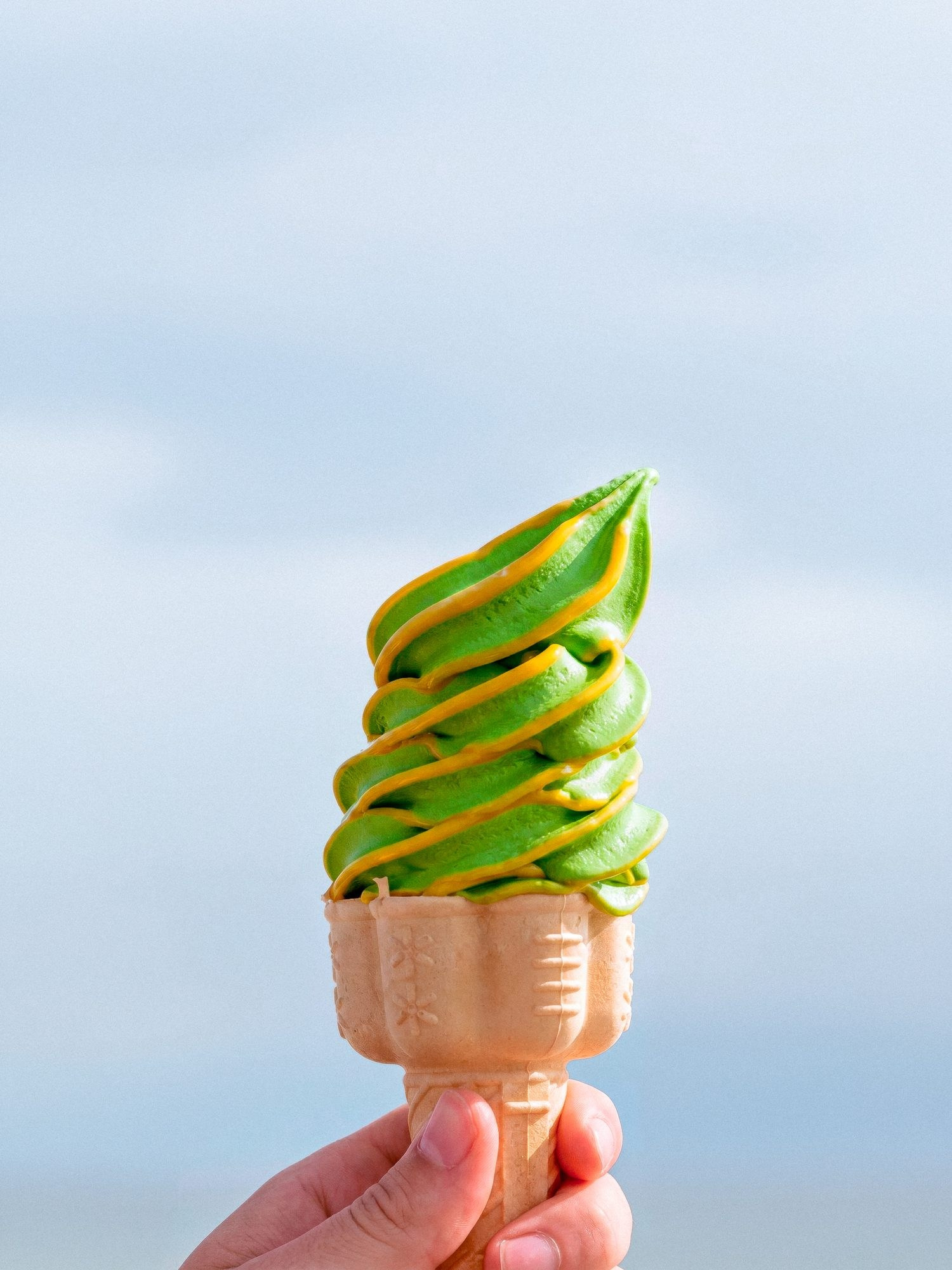
A hand holding a swirled green and white soft serve cone against a pale blue sky
One colour, plain background. Nothing competes with the green.
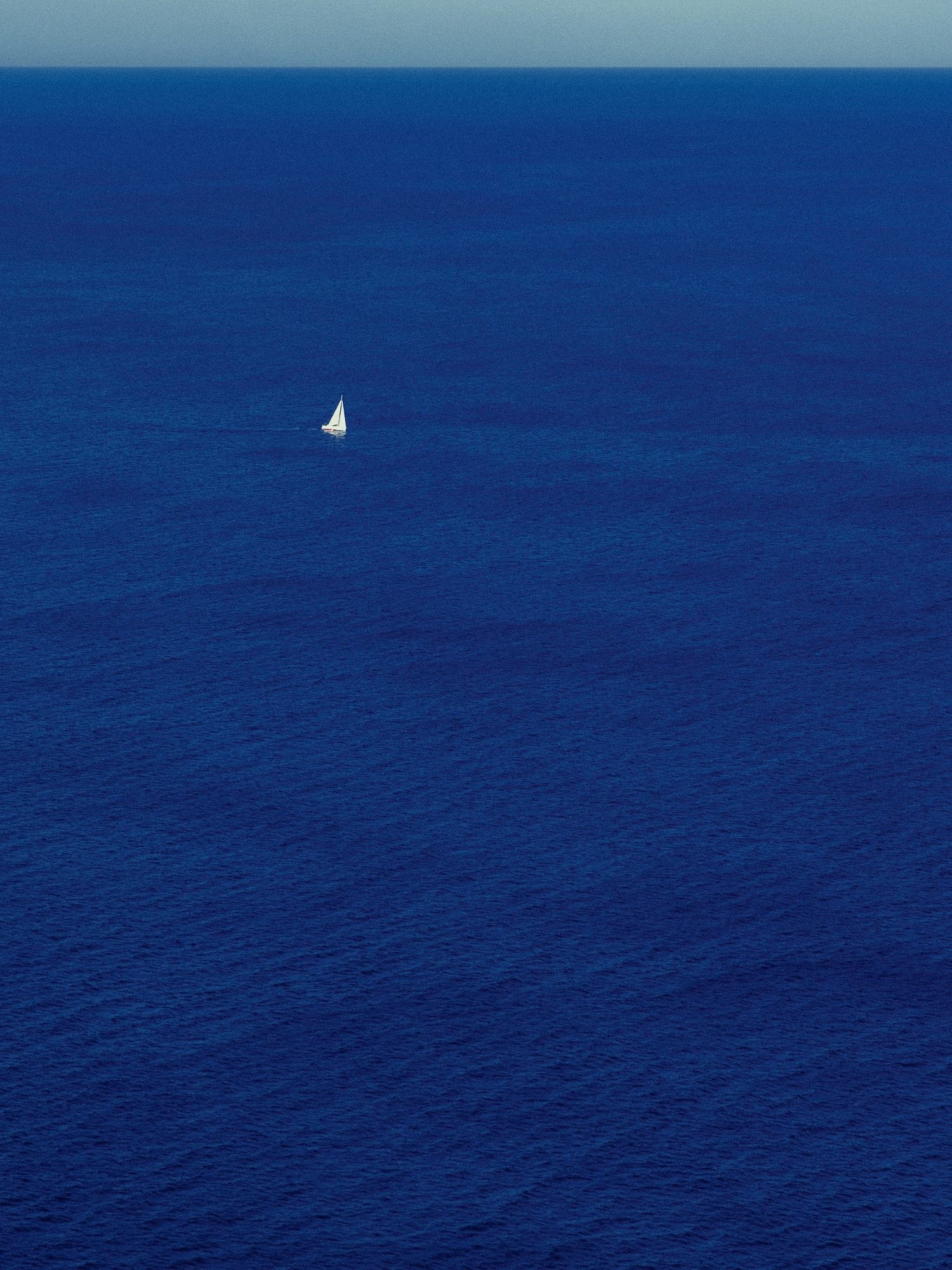
A tiny white sailboat on a vast deep blue sea seen from above
One colour, one accent. All blue, one white boat.
Avoid these

Colour mistakes

Auto white balance at sunset

The camera "corrects" the orange and kills the mood. Fix: set daylight or cloudy.

Orange indoor photos

Warm bulbs fool auto white balance. Fix: tungsten preset or about 3200 K, or fix it from RAW.

Pushing saturation to fix dull colour

Skin turns orange and skies neon. Fix: use vibrance, and better light.

Editing on a too-blue screen

Night modes and warm screen filters change what you see. Fix: turn them off while editing.

A different look on every post

The grid looks random. Fix: one preset or profile for a whole set.

Avoid these

Colour mistakes on a phone

Correcting every sunset

Auto white balance can cool down a golden evening. Fix: if it lost the warmth, add Warmth back in the editor, or shoot with a warmer style.

A different filter on every photo

A grid of ten looks feels like ten people took it. Fix: one style or filter for a whole set.

Orange restaurant photos

Warm bulbs fool even good phones. Fix: lower Warmth a little afterwards, but keep some glow.

Green office faces

Cheap LED and fluorescent light adds green. Fix: move Tint towards magenta.

Saturation to the maximum

Skin turns orange and skies turn neon. Fix: use Vibrance where your editor has it, and keep it modest.

Myth or fact?

Test what you think you know

"Warm" light has a lower colour temperature than "cool" light.

Candles sit around 1900 K and blue sky shade above 7000 K. The scale comes from physics, where hotter objects glow bluer.

White balance can't be changed after a JPEG is taken.

You can adjust it, but less cleanly than from RAW. Big corrections on a JPEG can leave odd colours in the shadows.

Auto white balance always gets daylight right.

Scenes full of one colour, such as a green forest or a red wall, can push auto in the wrong direction.

Myth or fact?

Test what you think you know

On a recent iPhone you can change the Photographic Style after the shot.

On iPhone 16 and later, styles are stored separately from the photo. Open it in Photos, tap Edit and change it.

Filters and styles ruin image quality.

A gentle look applied before the shot is no worse than the same edit afterwards. Extreme filters are a matter of taste, not quality.

The same scene can come out in different colours on an iPhone, a Samsung and a Pixel.

Each brand tunes its colour differently: Samsung tends to vivid, Pixel to contrasty and cool, iPhone to warm and soft. A style or filter evens them out.

The story behind it

Colour photos made from potato starch

1907

The Lumière brothers' Autochrome

The first practical colour photography process was launched in France by Auguste and Louis Lumière, the brothers better known for early cinema. Glass plates were coated with millions of microscopic grains of potato starch dyed red, green and blue-violet. Light passed through the coloured grains onto the emulsion behind, and the result was a soft, glowing colour image on glass.

It is the same idea as the red, green and blue filter mosaic on your camera's sensor today, a century later.

Try this now

Fix an orange room

Day 17 of the 30-day plan.

  1. In the evening, with warm lamps on, take a photo on auto white balance.
  2. Take the same photo on the tungsten preset (or about 3200 K).
  3. Or open the auto photo in your editor and move Temperature towards blue.
  4. Decide which looks best: neutral or a little warm.
Try this now

Find your colour

Fifteen minutes, your last 30 photos.

  1. Pick the three photos you like most. Look at their colour: warm, neutral or cool?
  2. Set a matching look on your phone: a Photographic Stylea filter, or make one under My filters from your favourite photoa Camera Look, or a warmer or cooler white balance in Controls.
  3. Shoot ten everyday photos with it. Keep it for a week and see if your photos start to feel like a set.
FAQ

White balance questions people ask

What white balance should I use?

Auto for everyday photos, daylight or cloudy for sunsets, tungsten or about 3200 K indoors with warm bulbs. Shoot RAW to decide later.

Why are my indoor photos orange?

Warm bulbs are around 2700 to 3000 K and auto white balance often leaves some of that warmth. Use the tungsten preset or correct it when editing.

What is kelvin in photography?

The unit for colour temperature. In the camera, you set the kelvin value of the light you are in, and it neutralises it.

Why do my photos look blue in the shade?

Shade is lit by blue sky, around 7000 K or more. Use the shade preset or warm the photo when editing.

Can I change white balance on an iPhone?

On iPhone 18 Pro, yes: Camera Controls › White Balance. On other iPhones, not before the shot, but in Photos you can edit Warmth and Tint afterwards, and much more flexibly from ProRAW.

FAQ

Phone colour questions people ask

Why are my indoor phone photos orange?

Warm bulbs are much more orange than daylight, and the phone keeps some of that glow on purpose. Lower Warmth in your editor, or shoot near a window.

Can I set white balance on my phone?

On Samsung in Pro mode (WB), on Pixel with the White balance slider in Controls, and on iPhone 18 Pro with Camera Controls › White Balance. Every phone can change Warmth and Tint after the shot.

What are Photographic Styles?

iPhone's built-in looks. They change tone and colour in a smarter way than a filter, and on iPhone 16 and later you can change them after the shot.

Which phone has the most natural colour?

They all look natural with a neutral style. Out of the box, Samsung tends to look the most vivid, Pixel the most contrasty and iPhone the warmest. Pick the style that matches your taste and keep it.

Should I edit colour on my phone or on a computer?

Your phone is fine for most photos. Lightroom mobile and Snapseed (see the app guides) give the same Warmth, Tint and colour tools as a computer.

Keep going

Related on this site

Check yourself

Three quick questions