Shutter speed is how long the camera looks. A thousandth of a second freezes a wave mid-air. A few seconds turns car lights into ribbons. Most blurry photos are a shutter speed problem, and it is the easiest one to fix.
Shutter speed is how long the camera collects light. Fast freezes a jump; slow turns water to silk and makes shaky photos blurry. Your phone chooses it automatically, but you can still steer it: with burst, Night mode, long exposure tricks and, on newer phones, a real shutter speed control.
Short answer
Shutter speed is how long the camera collects light. 1/1000 s freezes movement and 1/4 s blurs it. Handheld, stay at or above 1 divided by your focal length (1/50 s at 50 mm). For walking people use 1/250 s, for sport 1/1000 s.
Short answer
Your phone picks the shutter speed for you. To freeze action, shoot in good light and use burst. To blur water or traffic, use Live Photo Long Exposure on iPhone, Long Exposure on Pixel or Pro mode on Samsung. At night, keep the phone perfectly still and let Night mode or Night Sight run its full time.
Interactive
Motion simulator
A cyclist rides past a fountain. Change the shutter speed and how you hold the camera, then press the shutter again. Brightness stays the same, as it would with Auto ISO.
Decide first whether you want to freeze the movement or show it, then pick the shutter speed.
Your phone makes the same trade-off automatically. In good light it freezes motion; in dim light it slows down and things blur.
Interactive · your phone
Night mode: a long exposure without the tripod
When it gets dark, your phone keeps its shutter open for longer and stacks many short frames into one bright, clean photo. The seconds count shows how long it wants you to hold still. Hand-held, it stops at a few seconds. Rested on a wall or a tripod, it allows much longer. Slide the time and try it both ways.
Hold your breath and keep still until the countdown finishes. On a tripod or a wall, the phone allows much longer, cleaner exposures.
Your phone
Freeze the moment
A phone's shutter is fast in daylight, often 1/1000 s or quicker. Blurry action shots usually come from dim light, from the phone's processing delay or from pressing the button a moment late. Burst solves all three.
Burst: slide the shutter button to the left and hold. Or turn on Settings › Camera › Use Volume Up for Burst and hold the volume up button.
Pick the keepers: open the burst in Photos, tap Select and keep the sharpest one or two.
iPhone 18 Pro: Camera Controls › Shutter Speed. Set 1/1000 s for running kids or pets.
Burst: swipe the shutter button down to the edge of the screen and hold. Choose burst or GIF under Camera settings › Swipe Shutter button to.
Pro mode: More › Pro › Speed. Set 1/500 s for people, 1/1000 s for sport. The phone raises ISO to keep it bright.
Quicker capture: the Camera Assistant app (Galaxy Store) has a Quick tap shutter setting that takes the photo the moment you press.
Top Shot: turn it on under Settings › Top Shot. The Pixel keeps frames from just before and after your press, and suggests a sharper one.
Burst: on Pixel 10 and later, hold the shutter for a second or two. Pixel 11 adds Magic Capture, which films the moment and pulls out the best stills.
Pro models: open Controls and set Shutter speed, 1/1000 s for fast action.
Good light plus burst gets most action shots. Pick the sharpest frame afterwards.
Calculator
How slow can you go handheld?
The old rule: use at least 1 over your focal length (full-frame equivalent). Stabilisation buys you extra "stops", each one doubling the time.
Slowest safe shutter speed
-
Stabilisation only stops your shake. A moving subject still needs a fast shutter.
Camera shake blurs everything; subject motion blurs only what moves. Zoom into the photo to tell them apart.
Real photos
What different speeds look like
Frozen. Water stopped in mid-air. For a shot like this: 1/1600 s, f/8, ISO 400On a phone: bright light and burst
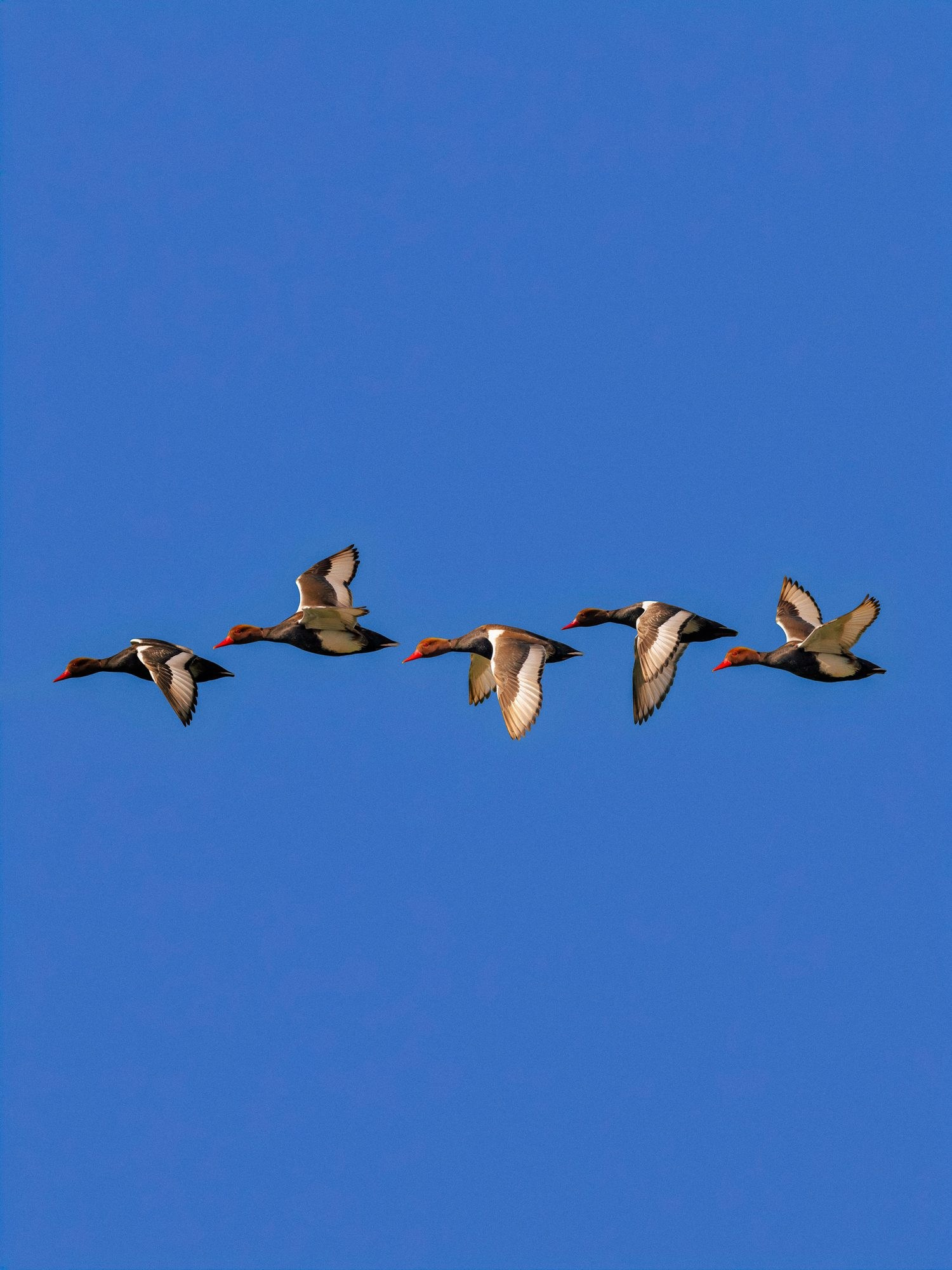
Birds in flight. Fast wings need fast speeds. For a shot like this: 1/1600 s or faster, continuous focusOn a phone: your longest lens, bright light and burst
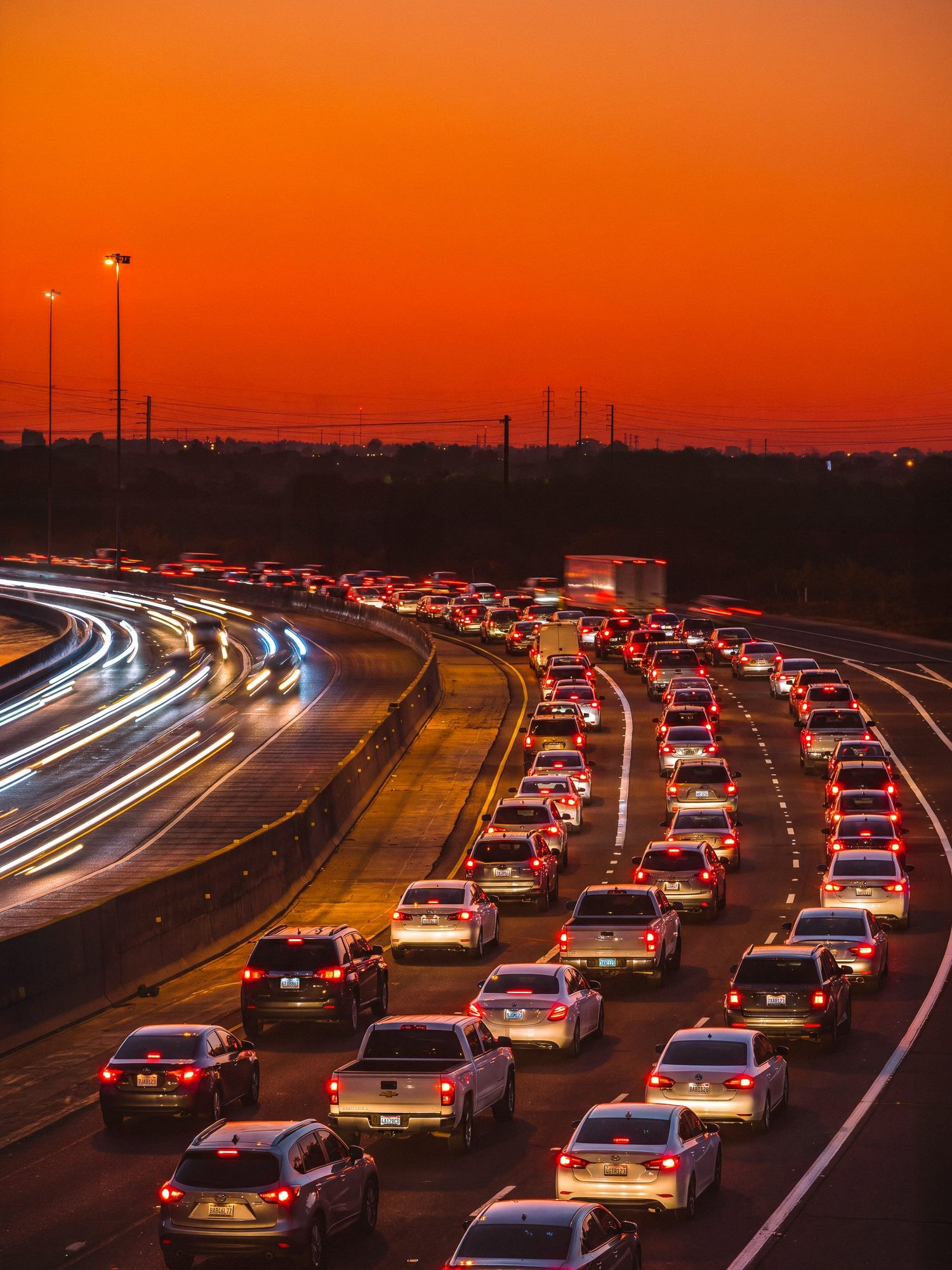
Light trails. Moving lights stretch into lines. For a shot like this: 1 to 4 s on a tripod, f/8 to f/11, ISO 100On a phone: Night mode on a tripod, or a long exposure mode
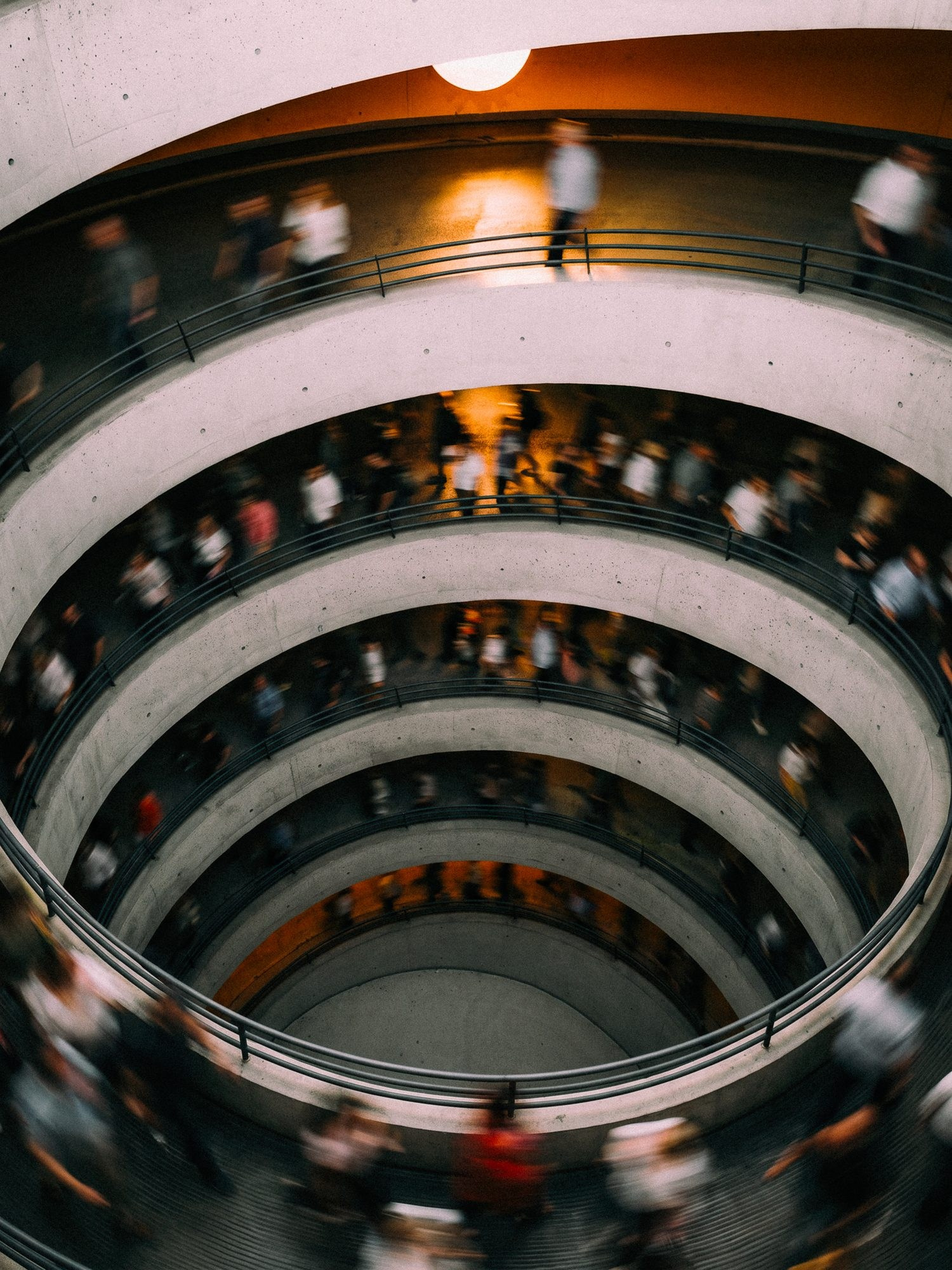
Movement in a still scene. A little blur shows life. For a shot like this: 1/15 to 1/4 s, braced on a railingOn a phone: Live Photo Long Exposure or Pixel Long Exposure, phone braced on a railing
Shutter speed
Use it for
1/2000 to 1/4000 s
Birds, sport, splashes
1/500 to 1/1000 s
Running kids and pets, cycling, cars
1/125 to 1/250 s
People walking, everyday handheld
1/30 to 1/60 s
Still subjects indoors, panning
1/4 to 1 s
Silky waterfalls, motion blur. Support needed
2 to 30 s
Light trails, night cityscapes, stars. Tripod
Cheat table
Shutter speeds for real situations
Subject
To freeze it
To show motion
People standing still
1/125 s
-
People walking
1/250 s
1/15 s for ghostly crowds (tripod)
Kids and pets playing
1/500 to 1/1000 s
-
Cyclists, cars in town
1/1000 s
1/30 s while panning
Birds in flight, sport
1/2000 s
1/60 s pan for wing blur
Waves, splashes
1/1000 to 1/2000 s
1/4 to 1 s for soft water
Waterfalls, rivers
1/500 s
1/2 to 2 s, tripod
Car light trails
-
5 to 20 s, tripod
Stars as points
About 15 to 20 s at 20 mm on full frame
Several minutes for star trails
The faster the subject and the closer it is to you, the faster the shutter speed needs to be.
You can dial these exact speeds in Samsung Pro mode, on Pixel Pro models and on iPhone 18 Pro. On other phones, use them to judge whether a shot is possible.
In depth
Silky water and light trails from your phone
Make sure Live is on (Camera Controls › Live).
Rest the phone on a wall, a bench or your bag. Take the photo and keep still for a moment after.
Open it in Photos, tap the Live label at the top left and choose Long Exposure.
The iPhone blends about three seconds of frames. Waterfalls, waves, traffic and crowds work best. On iPhone 18 Pro you can also set the shutter speed to 1 s directly and use Night mode on a tripod for up to 30 s.
Go to More › Pro. Put the phone on a wall or a small tripod.
Set ISO to its lowest, then Speed to 1 s for water or 10 s for car light trails at night.
Use the 2-second timer so your tap does not shake the phone.
In daylight, a long shutter turns the photo white. Wait for dusk, or use the Night mode's slow shutter on a tripod.
Swipe the modes to Motion and choose Long Exposure.
Hold the phone as still as you can, or rest it on something. Tap the shutter and wait.
The Pixel keeps still things sharp and blurs what moved. It works in daylight, with no filter.
Action Pan, in the same Motion mode, does the opposite: it keeps a moving subject sharp and blurs the background behind it, as if you had panned with a camera.
Keep the phone completely still, and let the phone blend the frames. A wall works as well as a tripod.
Technique
Panning with a phone
Panning means following a moving subject with the phone so it stays sharp while the background streaks. With a camera you set 1/30 s. With a phone you have three options.
Pixel: Motion › Action Pan does it for you. Best with a person or a car moving across the frame.
Samsung: Pro mode at 1/30 s, then turn from the hips as the cyclist passes and shoot a burst.
iPhone 18 Pro: Shutter Speed at 1/30 s and burst. On other iPhones, try a Live Photo while you pan, then choose Long Exposure: sometimes the subject stays sharp and the background streaks.
Stand side-on to the road, feet apart, and keep turning after you press. Expect one keeper in ten. That is normal, even with a big camera.
In depth
Long exposures without fancy kit
Slow shutter speeds turn movement into texture: silky water, streaking clouds, empty-looking squares where people kept walking. You need two things: a camera that does not move, and a way to stop the photo becoming too bright.
Keeping the camera still
A tripod is best, but a wall, a bench or your bag on the ground works.
Use the 2-second self-timer so pressing the button does not shake the camera, or a remote app on your phone.
Turn image stabilisation off on a tripod if your camera manual recommends it; some systems detect a tripod automatically.
Stopping it going white
At 1 second in daylight, even f/16 and ISO 100 let in too much light. The answer is an ND filter, dark glass that cuts the light by a set number of stops. A 6-stop filter turns 1/60 s into 1 second; a 10-stop filter turns it into about 15 seconds. At dusk and night you do not need one.
On a phone
Phones fake it by blending frames: on iPhone, take a Live Photo, open it in Photos, tap the Live button and choose Long Exposure. On a Pixel, use Motion › Long Exposure. Switch the bar at the top to Phone for the full steps. Keep the phone very still, ideally against something solid.
Technique
Panning: sharp subject, streaky background
Set 1/30 to 1/60 s (shutter priority) and continuous focus.
Stand side-on to the road, feet apart, twist from the hips.
Follow the subject before, during and after the shot, like a golf swing.
Shoot a burst. Expect a few keepers out of ten: that is normal.
For panning, start at 1/30 s, follow the subject smoothly and keep moving after you press.
On your camera
Set the shutter speed
Mode dial to Tv, then turn the main dial. 1/250 shows as 250 on the screen; 1 second shows as 1".
Mode dial to S, then turn the front or rear dial. Faster speeds show as 1/1000.
Mode dial to S, then turn the main command dial at the back of the top plate.
Mode dial to S, then turn the front command dial.
Turn the shutter speed dial on top, with the lens aperture on A. Use T for speeds between the marks, set with the rear dial.
Avoid these
Shutter speed mistakes
Trusting auto indoors
In dim rooms the camera may choose 1/30 s and blur moving people. Fix: set a minimum shutter speed in Auto ISO, or use Tv/S at 1/250 s.
Forgetting the focal length
1/60 s is fine at 24 mm and shaky at 200 mm. Fix: stay at 1/focal length or faster, more with fidgety hands.
Stopping the pan when you press
The subject smears. Fix: keep turning with the subject after the click, like a golf follow-through.
Long exposure with stabilisation on a tripod
Some systems hunt for movement and add blur. Fix: check your manual and switch it off if advised.
Fast shutter in dim light without thinking
1/2000 s indoors forces ISO very high. Fix: use just as fast as the subject needs, no faster.
Avoid these
Motion and night mistakes on a phone
Moving before Night mode finishes
The phone is still collecting light after the click. Fix: wait until the countdown ends or the photo appears.
Using flash at night
It lights the nearest metre and turns the rest black. Fix: flash off, Night mode on, find any light source.
Tapping the shutter hard
The tap itself shakes a light phone. Fix: use the volume button, the 3-second timer or a light press.
Zooming in the dark
The telephoto lens gathers less light, so it shakes and smears. Fix: 1x at night, then crop later.
One shot of a moving child
The odds of a sharp single shot are low. Fix: burst, then keep the best.
Myth or fact?
Test what you think you know
Image stabilisation freezes moving subjects.
Stabilisation only cancels your hand movement. A running dog at 1/30 s will still blur; only a faster shutter freezes it.
A camera can blur moving water in broad daylight.
With an ND filter, yes. Without one, you run out of small apertures and low ISO and the photo turns white.
1/60 s is always safe handheld.
It depends on focal length, stabilisation and your hands. At 200 mm without stabilisation, 1/60 s is likely to blur.
Myth or fact?
Test what you think you know
You need a tripod for silky water.
Live Photo Long Exposure on iPhone and Long Exposure on Pixel do it hand-held. A still hand or a wall makes it sharper, but a tripod is optional.
Night mode takes longer when the phone is on a tripod.
Phones detect that they are not moving and allow longer exposures, up to 30 seconds on iPhone and several minutes for Pixel astrophotography.
Phones can't freeze fast action.
In daylight a phone shoots at 1/1000 s or faster. The problem is usually timing or dim light, and burst fixes the timing.
The story behind it
The photo that answered an old question about horses
1878
Eadweard Muybridge's galloping horse
For centuries painters had drawn galloping horses with their legs stretched out front and back. Nobody could see fast enough to know if all four hooves ever left the ground at once. In California, Eadweard Muybridge lined up a row of cameras with very fast shutters, triggered one by one as a horse ran past.
The photos showed that all four hooves do leave the ground at once, but tucked under the body, not stretched out like in the paintings.
Try this now
Freeze it, then blur it
Days 8 and 9 of the 30-day plan.
Set Tv/S at 1/1000 s and photograph something moving: a tap running, a dog, traffic.
Switch to 1/15 s, steady the camera on something solid and shoot the same thing.
Try one pan at 1/30 s, following a cyclist or car.
Try this now
Silk and ice: one scene, two speeds
Fifteen minutes by a tap, a fountain or a busy road.
Take a burst of the water or traffic. Keep the sharpest frame: that is "frozen".
Rest the phone on something solid.
Take a Live Photo, then switch it to Long Exposure in Photos.Use Pro mode at 1 s (wait for dusk if it turns white).Use Motion › Long Exposure.
Put the two side by side. Same scene, opposite feelings.
FAQ
Shutter speed questions people ask
What shutter speed should I use for sharp photos?
Handheld, at least 1 divided by your focal length (1/50 s at 50 mm). For moving people use 1/250 s or faster, and for sport 1/1000 s.
Why are my photos blurry indoors?
The camera chose a slow shutter speed because there is little light. Set a minimum of 1/125 s to 1/250 s and let Auto ISO rise, or open the aperture.
What shutter speed makes water look smooth?
From about 1/4 s for a gentle softness to 2 seconds or more for a misty look. You need a tripod, and an ND filter in daylight.
What is the reciprocal rule?
A guideline for handheld shots: keep the shutter speed at least as fast as 1 over the focal length. Image stabilisation lets you go a few stops slower for still subjects.
Can I control shutter speed on an iPhone?
On iPhone 18 Pro, yes: Camera Controls › Shutter Speed. On other models, not directly in the Camera app. Use Live Photo Long Exposure for blur, burst mode for action, or a manual camera app that lets you set it.
FAQ
Motion and night questions people ask
Can I control the shutter speed on my phone?
On Samsung, yes: Pro mode › Speed. On Pixel Pro models, Controls › Shutter speed. On iPhone 18 Pro, Camera Controls › Shutter Speed. On other phones the camera chooses, and you steer it with Night mode, burst and long exposure modes.
Why are my indoor phone photos blurry?
The phone slowed the shutter to gather light, so any movement blurs. Move closer to a window, turn on a lamp, hold the phone with both hands and use burst for moving people.
How do I turn off Night mode?
Tap the moon icon (iPhone and Samsung) or the Night Sight icon (Pixel) and set it to Off. Useful when you want a dark, moody scene to stay dark.
How long should I hold still in Night mode?
Until the photo appears in the corner. The phone shows the seconds on screen: count them down and do not move.
Can my phone photograph stars?
Yes, on a tripod. Pixel has an Astrophotography setting in Night Sight; iPhone Night mode allows up to 30 seconds; Samsung Pro mode or Expert RAW gives long manual exposures.